ncalc2UIQ_box150.jpg
Version: 2.0
Release date: Dec 29 2006
Download buy

NiceCalc2 - genuine simple scientific calculator for Symbian. Avoid replicas!


Features

  • Automatic rounding modes;
  • Three modes for angles computing;
  • Double-precision (up to 20 decimal places);
  • Easy and fast "just-one-click" stylish interface;
  • Support of "simplified" form for binary operations;
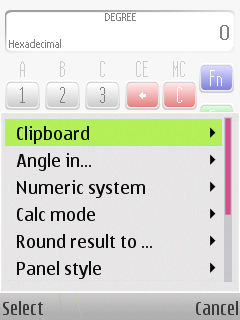
  • Support for decimal, hexadecimal, octal and binary numeric systems.

NiceCalc2 usage

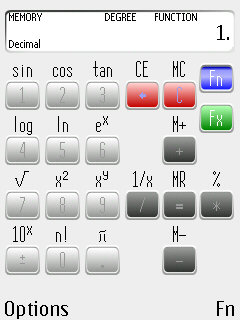
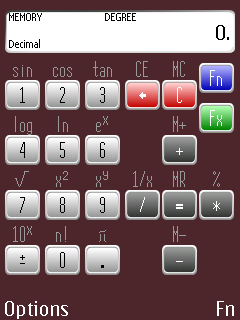
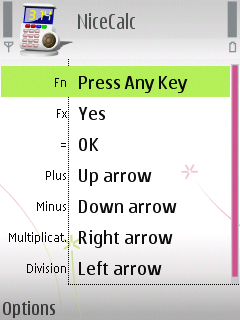
With NiceCalc2 simple interface it is quite easy to get used to compute all kind of math. Joystick that used for operations input greatly saves time while calculations and helps you to understand the process.

Almost all hardware buttons have two assigned labels. First label is for number input and the second one for operations. To switch between labels just press "Fn" button. Function mode is automatically switched off after the operation was entered.


Compatibility. System Requirements

Application requires up to 200kb of ROM to install and up to 100 kb of RAM to use.

If you don't find your device in list, please, check previous application version: NiceCalc v.1.1

Symbian OS v.8.1a
UI S60 v.2.8
Nokia N70
Nokia N72
Nokia N90
Samsung Z600
Symbian OS v.9.1
UI S60 v.3.0
Nokia 3250
Nokia 5500
Nokia N71
Nokia N73
Nokia N75
Nokia N80
Nokia N91
Nokia N92
Nokia N93
Nokia N93i
Nokia E50
Nokia E60
Nokia E61
Nokia E61i
Nokia E62
Nokia E65
Nokia E70
Nokia N77
Samsung i400
Symbian OS v.9.2
UI S60 v.3.1
Nokia 6110
Nokia 6290
Nokia N76
Nokia N95
LG KS10
Nokia 5700
Nokia 6120
Nokia 6121
Nokia 6124
Nokia N81
Nokia N81 8gb
Nokia N95 8gb
Nokia N82
Nokia E51
Nokia E90
LG KT610
Samsung G810
Samsung i450
Samsung i520
Samsung i550
Samsung i560
     
Symbian OS v.9.3
UI S60 v.3.2
Nokia 6210
Nokia 6220
Nokia N78
Nokia N96
Symbian OS v.9.1
UI UIQ v.3.0
SonyEricsson M600
SonyEricsson M608c
SonyEricsson W950
SonyEricsson W958c
SonyEricsson W960
SonyEricsson G700
SonyEricsson G900
Symbian OS v.9.2
UI UIQ v.3.1
Motorola Z8
Motorola Z10

Please, always try applications BEFORE buy.

Installation

  • Transfer the downloaded "NiceCalc_v.2.sis" file to your mobile handheld;
  • Open folder where it was stored. ("Inbox", by default);
  • Start and complete installation dialog;
  • Start the application.

User Guides

Download NiceCalc2 User's Manual (zip: 1210 kb / pdf: 1330 kb) English language.
Download NiceCalc2 User's Manual (zip: 1300 kb / pdf: 1420 kb) Russian language.


Localization

NiceCalc2 interface supports next languages:

  • English
  • Russian (only for NiceCalc2 S60)
  • German (only for NiceCalc2 S60)

Trial period

Trial period is limited to 7 days with no additional restrictions.


Technical Support

VerySoft Support Team is always ready to assist you with any question concerning software products.
To force obtaining necessary information please follow the advices from the Support page.


FAQ and Discussion

NiceCalc has a separate thread in VerySoft Forum. Visit it to access friendly community, find FAQ and share your opinion.


Archived NiceCalc versions

Previous releases of the NiceCalc can be found here: NiceCalc v.1.1


Download buy
ncalc20scr_1.jpg
ncalc2_4_open.jpg
ncalc2_P990_1.jpg